
Diablo 3 (Digital) - $69 Pre-Order from Blizzard's Website Battle.net (Read Guide)
This was posted 1 year 2 months 8 days ago, and might be an out-dated deal
I saw this on Whirlpool as posted by svale. Its a way to avoid paying the regional price gouged price of $79.95AU with afew simple clicks.
"OK, for all those wondering how to purchase it in SGD. See below…
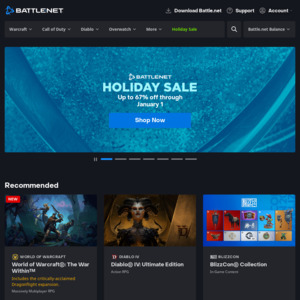
- Log into https://us.battle.net/account/management/get-a-game.html
- Note that the balance on the right-hand side most likely reads in AUD, as does the price of Diablo III
- Click Transaction History > Balance History
- Select US Dollars from the currency drop-down menu
- Click Games & Codes > Buy Digital Games
- Diablo III should now be listed in $90 SGD (i.e. $69 AUD)
- Continue ordering as per usual. The game version is Global, so you're not getting a Singaporean version here.
No idea how long you'll be able to do this for, so get in quick"
samfisher5986 on 11/04/2012 - 12:49 ¶Interesting, I normally put "MR" in front of my cardholders name because thats what is on my card.
Never had a problem until now, I removed MR and it worked fine.
Awesome
+1 votesamfisher5986 on 11/04/2012 - 17:15 ¶As mentioned, it has no annual fees, currency conversion fees or international transaction fees.
Most CC's have at least one of these fees making overseas purchases expensive.

gummibears on 11/04/2012 - 13:10 ¶$60.00 here for physical copy.
http://www.gamewave.com.au/pc-mac/games/diablo-iii-3-pc-mac-...
-2 votesI paid $40.76 for my physical copy:
MrZ on 11/04/2012 - 13:27 Comment score below threshold (-5).
+2 votesWhy did I get 6 negative votes? I answered the guy's question. He asked how I got that price. I logged onto WowHD, that was the price I saw advertised, and I placed the order. It's that simple. I didn't use any "tricks" of any kind, no vouchers or coupons or store credit.

or $53 here. and ozgameshop is pretty trust worthy.
Been buying from there for about 2 years now. Matter of fact, about al 3 guys at work do.
http://www.ozgameshop.com/pc-games/diablo-iii-3-game-pc-and-...

you can get SC2 for $55 right now at DSE http://dicksmith.com.au/product/YG6985/pc-starcraft-ii-wings...
-1 voteKambo_Rambo on 11/04/2012 - 13:15 ¶For those willing to risk it, you can look up the RAF 12 month method. Cost me $28 AUD.
+4 voteshttp://www.ozgameshop.com/pc-games/diablo-iii-3-game-pc-and-...
Got mine for 52 bucks I think its fair.
dom_christo on 11/04/2012 - 14:34 ¶i know JB has it for $79.
Think i will eng up getting it from there, id prefer a boxed product for an extra $10
+1 voteLast offer I saw for a CE was this: http://www.ozbargain.com.au/node/67081
If you find it anywhere between now and launch you're paying at least 40-60% more than RRP, which was around $130-140 for pre-orders.

If you are really interested in purchasing Singapore copies, I'll say purchasing from here, http://qisahn.com/preorder_info?id=381.
Just need 4 friends to purchase together and it's SGD $65.90 per piece. I'm sure OzBargainers will work it out, somehow.

I'm having problems with the State/Region/Province box on ordering, it keeps asking me to fill out all fields but it won't accept WA, W.A, Western Australia or Australia, tried logging in and out and a different browser..
Edit: working now, just had to edit my billing information.

I'm still having that problem. Even after editing my billing information. Now it just says:
An error has occurred.
To complete this transaction, please contact Blizzard Customer Support. Alternatively, you may select another form of payment.Anyone else experiencing the same? Also, thought I'd be smart and top up my account with $70 thinking I could use that as a form of a payment since CC was not working - not so, seems you can ONLY use either a credit card for payment. Now I got $70 in my Blizzard account which is probably stuck lol
-2 votesi'm sorry to be a party pooper but 90cents more here and you also get physical copy.. shipped as well (Tried Vic postcode)
samfisher5986 on 11/04/2012 - 22:33 ¶European and you can't play on release….
You can preload the battle.net version right now and play it the second its released.
You will be waiting a long time if you get a physical copy.
samfisher5986 on 12/04/2012 - 13:37 ¶You can't have a demo for an open world unless you put invisible walls in the game.
samfisher5986 on 12/04/2012 - 14:16 ¶Are you serious? LOL
WoW has a trial version, not a demo.
Elder scrolls is not an MMO
A trial version for elder scrolls would not work.
The only reason you think it might work is failing to understand what the game is.

I don't think this is a fair comparison, nor is it worthy of a negative vote.
This is a digital download that lets you play on the day of release. Yes, what you linked to is cheaper, but you are ordering a boxed copy that you will not receive until days/weeks later. If you're happy to wait, then good for you.
machej on 12/04/2012 - 20:32 Comment score below threshold (-3).
-2 votesLook here… $50 - http://www.ozsave.com/pc-mac/games/diablo-3-iii-pc-mac-dvd

I got it working
I GOT IT WORKING! :D (sorry for shouting, I'm just very happy) teehee.I had to fiddle around with my account as well.
Not exactly sure how I did it, but I think it was the following:
1) Go to the battle net website
2) login
3) click the "account" tab up the top of the page
4) go to transaction history, then balance history
5) change to Mexican currency
6) purchase for 90 SGD
:) :) :)I think the reason it was down for a while, is that it looks like they've added the ability to buy a digital copy of the game with Paypal (as well as Mastercard & Visa) & they've made it a bit more difficult to purchase with foreign currency (when compared to your account region setting that you set when you created an account with battle net…)
Hope this helps anyone else having troubles!
PS: Spathy - You're a legend! Thanks :-)
noise36 on 12/04/2012 - 23:36 Comment score below threshold (-5).
samfisher5986 on 13/04/2012 - 00:20 Comment score below threshold (0).
Mister Bung on 22/04/2012 - 21:26 ¶I'm assuming this doesn't work anymore?
Clicking on the 'Other Currencies' gives me a popup saying currencies cannot be converted
EDIT: Got it working, awesome!


123
+1'ed. Just coz. :-)