



Marketplace


Registers as a webcam, captures at 1080p30hz. Supports downscaling 4K to 1080p for capturing.
Wide compatibility as it's essentially just a webcam - supports OBS, XSplit, etc.
Not for DVD Players or Fire TV Stick - Compatible with gaming consoles, etc. Won't work with anything that has DRM.
 CamelCamelCamel.
Limited 1 time offer that one, but could well be. UGREEN is quite reputable though, I'd personally prefer having the Amazon + UGREEN backed reputation
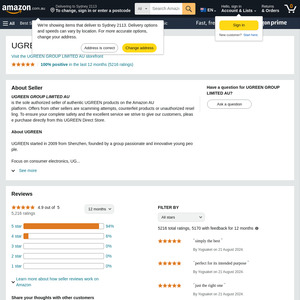
That store's only 95% positive rating. Gotta remember these are reencoding HDMI to a webcam output, so quality is a big factor. It's not a direct conversion or something like a HDMI switch.
I needed a basic capture for a camera microscope and picked up that one for US $4.12 including GST a month or so ago.
I tend to agree with you that next day delivery and amazon warranty is appealing for $25.

You can get them for $5 on aliexpress.
I tried it for using a tablet as an external monitor for a laptop. It works! You just need an app to put the camera image on screen.

What is the advantage over software capture such as OBS?
You open OBS and use these as an input source.
You would use this to capture a playstation or xbox and have that output into OBS on a streaming PC
For those not familiar, these capture cards can be used to turn your usb C compatible Ipad or tablet lying around into a secondary monitor for your desktop/laptop. Handy.

Yes, use an app like orion on it but those bulky cases can struggle to plug in cleanly to the usb c port on the ipad.
Another option for second monitor usage of ipads or tablets.
ASUS GlideX is a cross-device screen-sharing, device-control, and productivity software solution developed by ASUS. It connects Windows, macOS, iOS, and Android devices over Wi-Fi, USB, or Bluetooth
https://www.asus.com/au/content/glidex/

Quite handy for playing TV shows in the background, or music videos
could you explain how this works? would love to try it

input from: phone, web cam, tv box console via hdmi cable (which means you may need an additional cable when connecting a phone to hdmi) and then output to US A plugged into a pc running OBS software
Let's say like me you have a 2021 M1 Ipad Pro which has a usb C:
thanks for your insight!

Search MS2130 on aliexpress for 1080p60 cards with better picture and audio, not to mention generally less cost
Thank you for the great idea. I looked up and ordered one.
Are you able to share which one you purchased please?
I have an old DVD player with HDMI and AV composite outs. I also have a VCR with obviously only composite outs. I have home movies on both DVD and VCR format. Any good options that combine both?. I can do a Google search of course and try and filter out genuine and paid reviews, but would like if someone has a working solution.
For that it will likely work, it’s more new DVD players that detect when it’s not actually a TV. Not overly familiar with the technology involved.
VCR should definitely work, no way technology that old has DRM.
The technology mainly came out around BluRay to stop 4k bluray capturing, it’s a newer technology.
For VCR if you only have AV, AV to HDMI converters are around $8-10 on amazon and should work fine
Worst case Amazon will provide a return label under not fit for purpose, worth a shot.
any idea if the capturing speed is good enough so that over time you dont lose sync between video and sound? I know the older capture cards sometimes couldnt keep up with the sampling.

Was neat seeing Ugreen sold instore after being a fan of theirs for a while.
Didn’t know they’re in stores now, that is quite neat
Hopefully they don’t pull a Xiaomi and go ultra retail on us… Xiaomi went from $10 power banks to $999 vacuums so quick.
Wouldn't there be significant lag if using this while connected to a gaming console? I can see on the product page that it's shows that it is compatible with most modern gaming console but has anybody here tried? I don't have plans on using it to play things like COD or fortnight but platformers that still need a little precision when it comes to timing.
I assume people use it with a splitter so one output is direct to tv
Not sure these days but HDMI splitters were like $5 when I got mine, make sure it’s actually a splitter and not a switch
Sorry - I wasn't very specific with my question. It was more around using whatever you plug this into as the main gaming screen. Rather than what a streamer would use for example, and have their actual monitor or TV to play on (as their main view) and use this to have a secondary source for streaming or recording.
Just wonder any one use this or the MSI one with Samsung phone, does it works? Or can it trigger the Dex mode? Many thanks
Is it just a branded version of these cheapies on AliExpress? https://www.aliexpress.com/item/1005009379106163.html