
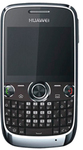

Virgin Huawei G6600 Pre-Paid Mobile Phone $5.00 at Officeworks
This was posted 5 months 3 days ago, and might be an out-dated deal
Virgin Huawei G6600 Pre-Paid Mobile Phone $5.00 at Officeworks.
Shows limited stock in some branches in SA, possible get price match at DS, Target, KMart if works better for you.
This phone should be able to unlock for free, check out those youtube videos.
Comments (Closed)
mattgal on 17/12/2012 - 01:00 Comment score below threshold (-9).
+8 votesRainbowHands on 17/12/2012 - 01:05 ¶are you trying to make yourself feel better by shunning this deal?
for $5, this is awesome!
wtfnodeal on 17/12/2012 - 01:23 Comment score below threshold (0).
lostn on 17/12/2012 - 02:50 Comment score below threshold (0).
Peccadilloes on 17/12/2012 - 06:49 Comment score below threshold (0).
lostn on 17/12/2012 - 11:55 Comment score below threshold (0).
greenpossum on 17/12/2012 - 12:00 Comment score below threshold (0).
justin_tsoi on 17/12/2012 - 08:05 Comment score below threshold (3).
+1 voteCptdarling on 17/12/2012 - 17:36 ¶Carlton stock is faulty. It's an ex-display with half the screen missing and no box/content. Annoying I know but it doesn't leave the system until it's been sent back which won't happen until after the busy period.
If you ever see the work Limited Stock, chances are it's a display or faulty. Still give the store a call before you head in.
+10 voteswolfenator87 on 17/12/2012 - 06:25 ¶FIVE(5!) DOLLARS!
At this price, even Gerry Harvey will be rushing out to OW to stock up on these phones and later sell them at retail price to the unsuspecting masses.

+1 voteDick Smith has this same deal for $9. (deal ends today)
http://dicksmith.com.au/product/E6733/virgin-huawei-g6600-pr...G6600 Full Specs
http://www.huaweidevice.com/worldwide/productFeatures.do?tre...
CarbonTwelve on 17/12/2012 - 07:22 ¶Also seems to be out of stock in Vic. At least, no stores near CBD or Eastern suburbs seemed to have any.


Legitimtely?
http://virginmobile.custhelp.com/app/answers/detail/a_id/168...Or pay for someone to get an unlock code

+1 votedreamerman on 17/12/2012 - 10:05 ¶Started to ring around OWs last Friday. No stock everywhere. I was looking for a cheap qwerty phone :-(
+5 votesWho else has this phone for $4.00 more?
Dick does.
http://dicksmith.com.au/product/E6733/virgin-huawei-g6600-pr...
gandhi28152 on 17/12/2012 - 11:48 ¶anyone know if i can use blackberry messanger app on this huawei device?
+13 votesXmas Gift for those who need unlock code for this phone. Just PM me your G6600 IMEI number and I will send you the code for FREE.
PM request only and one request per OZbargainer.
Offer end Christmas Day.
Please note this is not instant service, don't request code if you can't wait. Delivery time is usually less than 24 hours and may take up to 48 hours.
PLEASE NOTE: Don't make request now. Currently, one of the code calculators doesn't calculate proper code for this phone. I am testing another calculator which requires CID number of the phone. Will keep you update.
Cheers. :)
dreamerman on 17/12/2012 - 14:36 ¶Wow this is great. I will be in touch once I collect my phone this weekend.

LivinginEastwood on 17/12/2012 - 16:09 ¶There is IMEI, ICCID on the bottom of the box.
I guess ICCID is for the sim card and not for the phone then huh.
Blatros : Unlock code sent. Please report back the result. Cheers.
To read the CID of the Phone, please try this CID reader
http://www.mediafire.com/?z645zl2ev3vobca
You will need to install the MTK USB driver first before using the CID reader to get the CID. Also read the readme file on how to use the reader.
Cheers.
LivinginEastwood on 17/12/2012 - 16:40 ¶I get "Fail to install USB Driver for Windows" error when I tried to run InstallDriver.exe on both win 7 and win 8 machine (x86) :(
dreamerman on 17/12/2012 - 16:40 ¶Is MTK USB in the rar file?
EDIT: Sorry, I should have checked, driver is in the rar file.


Ahhhhhh. LivinginEastwood: the same thing happened to me (I am using Win 7) but the windows pop-up that came soon later said 'install using recommended settings' I clicked that and it installed the XP version. But now the phone will not let me choose USB config, only mass storage. And the reader gives "AT^readcid? ERROR".

LivinginEastwood on 17/12/2012 - 17:37 ¶lol after installing the latest driver dreamerman linked, now I'm in the same situation as Tscott. The IMEI it gives is a wrong one and for CID I get AT^readcid and all the buttons are blacked out :(

I read somewhere that if the buttons are blacked out then you need to install older version MTK USB drivers instead.
Unfortunately, we need to trial and error for this process. Care to download this version driver and try it out?
https://hotfile.com/dl/184776916/492addb/MTK_Android_Unlock_...Cheers.
+1 voteLivinginEastwood on 17/12/2012 - 18:16 ¶Okie dokie.
I think I've got it.
After failing to install the original MDK driver, then instaling the one dreamerman linked (so I don't know which driver I was actually used)
I followed this procedure from this page (http://forum.gsmhosting.com/vbb/archive/t-1531366.html)input code *#3646633#
go to device
then go to set uart
select uart power on/off
turn on uart power for all three options
then go to uart setting
set tst-ps config to none
set ps config to usb port
set tst-l1 config to none
then try to get info(You need to get the setting back to where it was after you get the info, so jot down the original setting before you change it)
After rebooting the phone, I connected it to my laptop and laptop recognised it instantly and installed relevant driver on port 15?
I fired up CID reader, selected port 15 and clicked get IMEI and get CID buttons to get all my info. Hope this helps but I don't take responsibility if anything goes wrong! :)
+1 voteI got the same error message when trying to install MTK usb software. it worked when i went into WIN7 > MTK USB driver > MTK USB Driver_v1.0845 then ran the SECOND .exe (Installdrv64) it said successfully installed xp version however im runing windows 7 it still worked. when i ran the program it gave me the AT^readcid"XXXXXXXXXXXXXXXXXXXX" (my CID) then said ERROR but still worked.
+1 voteHmm, when my computer tries to install the drivers by itself (after I installed MTK) it says" Android USB ethernet/RNDIS: fail ".
EDIT: The same thing has happened on two windows 7 laptops I tried.
EDIT =D: Tried on a vista machine, the old vista who everyone hates, and it WORKED!!!!!! =D I only used YYY'S posted link.

Thanks Blatros, LivinginEastwood and TScott for trying and testing on their phones.
To unlock this phone, I need your phone IMEI and CID to get the unlock code. To get the IMEI of the phone is easy but to get the CID of the phone is a bit tricky. Here is the instruction based on the feedback from the above fellows:
You need to download CID reader from here:
http://www.mediafire.com/?z645zl2ev3vobcaYou also need to install the MTK drivers on your computer. The drivers are included in the file above. However, if it doesn't work, you can try the drivers below:
https://hotfile.com/dl/184776916/492addb/MTK_Android_Unlock_...Now make some changes on your phone so the computer can detect it as phone:
1.) Input code *#3646633# on your phone
2.) Go to device
3.) Then go to set UART
4.) Select UART power on/off
5.) Turn on UART power for all three options
6.) Then go to UART setting
set tst-ps config to none
set ps config to usb port
set tst-l1 config to none
7.) Then try to get info(Make sure you copy down the default settings before making any change. You may need to change back to default settings after step 7)
Reboot the phone and connect it to your computer. The computer should detect the phone and install relevant drivers for the phone.
Run CID reader, Select correct port and read CID.
You may run into error during the above processes. Just hope you will get it eventually.
Cheers.
+1 votedreamerman on 19/12/2012 - 07:23 ¶YY's unlock code is as good as gold. I used a XP Pro SP3 machine and installed the MTK drivers contained in the CID reader folder (InstallDriver.exe). Then followed the 7 steps. Plug in the phone and fire up the Cid Reader. Its as easy as that with no error messages at all.
dreamerman on 17/12/2012 - 13:54 ¶Yeah, rang a few with "limited stock" and they sold out ages ago. The sales guy even got irritated with me :-(
EDIT: Just rang Liverpool and the guy said no stock in any OW stores.
EDIT: Just bought 2 from Dick Smith @ $9 each
+4 votesCptdarling on 17/12/2012 - 17:33 ¶It's a clearance item not a special. Two completely different things.


109