

Free Microsoft Software for Students at DreamSpark
This was posted 2 years 8 months 29 days ago, and might be an out-dated deal
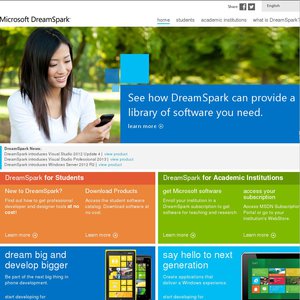
Free full versions of Microsoft software for students, great if you have an .edu/.edu.au email.
I believe this has been mentioned before, something like a year and a half ago—before it was confirmed to work in Australia—so I figure it's worth posting again. As long as you hold an email at a certified educational institution (typically an email that ends in .edu/.edu.au), you can "Get Verified" and download full versions of Microsoft software, for free!
All you need is a Live/Passport account, and your educational institution email. The two do not have to be the same, as you sign in to your Live account first, and then you give it your .edu/.edu.au address, and they send an email to confirm that you are a student and you own that address.
Here is a list of software available (as of posting):
Visual Studio 2010 Professional Edition
Windows Marketplace for Mobile - Live for Students!
Windows Server 2008 R2 Standard Edition
Visual Studio 2010 Express Edition
Visual Studio 2008 Professional Edition
Windows Server 2008 Standard Edition
Microsoft Expression Studio 4 Ultimate
SQL Server 2008 Developer Edition
XNA Game Studio 3.1
Microsoft Robotics Developer Studio 2008 R3
Virtual PC 2007
Windows MultiPoint Mouse SDK
Windows Embedded CE 6.0
SQL Server 2008 Express Edition
Visual Basic 2008 Express Edition
Visual C# 2008 Express Edition
Visual C++ 2008 Express Edition
Visual Web Developer 2008 Express Edition
Visual Studio 2005 Professional Edition
Windows Server 2003 Standard Edition
Even if you aren't a programmer/software developer/engineer/etc., it's worth pointing out that you have access to full versions of Windows Server 2003/2008/R2, which are essentially XP/Vista/7. Windows Server can be adjusted to work as a regular workstation OS with minimal amount of effort (search for terms "Windows Server workstation"), and is great considering the price, i.e., free.
Software can be downloaded with the Akamai Download Manager, or directly from their servers. I assume that MS will continue to add software to DreamSpark as time goes on, so it might be worth keeping an eye on the site for updates.
I suppose I should mention that they also provide "training materials" by linking to MSDN and other site tutorials/texts/videos. Links on the right hand side of the site.
Comments (Closed)

-1 voteManUtdFans on 21/08/2010 - 11:43 ¶The link is a joke.
You selected NSW, I have not heard about the if you selected 'New South Wales'.
But it works if you select 'Nsw'

illumination on 21/08/2010 - 03:36 ¶The free software here doesn't help me much but I definitely agree. I can definitely see how people would find this useful and I have never heard about it or seen anything about it. So 21 months, definitely enough time for a re-post.

Never knew this. Thanks!
EDIT: I see that you need special "server" versions of software to be able to install on to server OS. Software is usually offered in 32 or 64 bit but I've not seen server specific ones. I guess this means the OS has limited functionality for personal use.

My edit was in refrence to the statement by OP:
"it’s worth pointing out that you have access to full versions of Windows Server 2003/2008/R2, which are essentially XP/Vista/7. Windows Server can be adjusted to work as a regular workstation OS with minimal amount of effort (search for terms “Windows Server workstation”), and is great considering the price, i.e., free."
So from the brief reading I did after this was posted it seems after converting Server 2008 R2 to "windows 7" one needs software designed specifically for server OS in order to install and use said software. Similar to how a 64bit program will not work on 32bit OS I'm guessing.
So I wanted to know if this is true for all programs, and if so, does this mean one has limited choice in the program one can use. Additionally, how about drivers (ie. will a normal 64bit video card driver work the same on a server edition OS)?
The above are just my interpretations, please correct me if I'm wrong.
+2 votesMrUniqueName on 21/08/2010 - 08:01 ¶Oh wait, so I just paid $1000 for MS Server 2008 STD, and now discover that I could've downloaded it for free?!? Am I missing something?
DAMMIT!
Great for everyone else though lol
+1 votenickolanda on 21/08/2010 - 11:07 ¶Don't feel too bad..
It's only the express edition on DS (which is free for everyone) and the developer edition.
Both have their limitations.
+5 voteshttp://www.ozbargain.com.au/wiki/student_deals
I just hacked up a new page on the Wiki. Feel free to improve it with extra details, formatting etc.
+1 voteYou might be able to use an australia.edu email to claim:
melodyrain on 21/08/2010 - 11:52 ¶Wow, this is so cool! I graduated 1 year ago and it still works! Thanks!
goblin5566 on 21/08/2010 - 11:58 ¶This is great. My Uni email is still active eventhough I left couple of years ago.
Can't find Microsoft Office there.
+1 voteMS Office is not free, but you can use your uni email for the Its Not Cheating promotion.
anthonettex on 21/08/2010 - 13:34 ¶Still need to run Windows XP in a virtual environment (Mac or PC)?
Grab Windows server 2003 then tweak it into a workstation. You can even enable the blue XP fisher price look again!I do this on my Mac via VMware fusion and it works a treat.
Windows server 2008 can be tweaked to be like Vista enterprise (though at this point it's probably better to get Win7 Pro from Its not Cheating!)
anthonettex on 21/08/2010 - 14:16 ¶9 times out of 10. sometimes old games or programs might say for win2k3 'Windows NT not supported' or 'server OS not supported' (think Quake II or AVG home edition) otherwise it's great.
browsers, media, etc. should all work unless there are limitations as I said above.
spawnpoint on 21/08/2010 - 14:20 ¶windows server 2008 r2 and 7 were developed together so 2008 r2 can be tweaked to look like 7 but note, some software you may need to use will be blocked ie norton antivirus says you need to buy server edition to use it on my pc WHEN i did this. It was mentioned in a lifehacker article so I tried it. Please check server 2008 r2 compatibility before trying this at home

Am getting the following message in firefox -
"This Connection is Untrusted
You have asked Firefox to connect
securely to www.dreamspark.com, but we can't confirm that your connection is secure.
Normally, when you try to connect securely,
sites will present trusted identification to prove that you are
going to the right place. However, this site's identity can't be verified.
If you usually connect to
this site without problems, this error could mean that someone is
trying to impersonate the site, and you shouldn't continue.Technical Details
www.dreamspark.com uses an invalid security certificate.
The certificate is not trusted because the issuer certificate is unknown.
(Error code: sec_error_unknown_issuer)"
leonheart1 on 21/08/2010 - 16:40 ¶When I first read the title I thought 'Dreamspark.. what a funny name for a uni'.
But now it's all okay. ;D
Registered, verified and downloading!
leonheart1 on 15/09/2010 - 19:33 ¶Sorry for the extremely slow response since I don't check threads again often.
To answer your question, yes it was downloading but then when I saw the file size I closed it after a while.
+1 voteOkay, this is for anyone thats keen to convert Windows Server 2008 R2 for everyday use. I used VMware to install it as it saves from having to plug in a separate physical hard drive. Installation is pretty straight forward and VMware allows you to pre-select things like username, password and serial key.
It does look a bit different at the start but a few minutes of tweaks can get it looking like Windows 7, see for www.win2008r2workstation.com a guide on this.
Things like Aero Glass I couldn't get working as I couldn't install the drivers for Intel graphics, although this seemed to be due to the nature of VMware emulating a display driver rather than a fault of Win2008. The sound drivers for Realtek HD Audio worked a treat in comparison. Internet connection works fine on it, no mucking around with settings or anything like that which was good.
Programs that I've tested out and work okay include uTorrent, 7zip, Adobe Flash, Photoshop, Audacity, Chrome, Foxit PDF, Free Download Manager, GIMP, Google Earth, Google Sketchup, iTunes, Java, Mediamonkey, Office 2010 (this surprised me a bit), Firefox, Opera, Paint.net, Picasa, Sandboxie, Skype and VLC. As mentioned before the standard version of AVG doesn't install.
In terms of games I could only get a few basic games to work like Pocket Tanks and Monopoly. Demanding games wouldn't run due to not being able to install video drivers.
Overall it looks quite good and i look forward to installing it fully and using it regularly. I should also mention that RAM use is around 450mb while idle on a fresh install which is quite good.
Hope that helps anyone considering it ;)


711
Sweet! As a university student who is doing a Software Engineering degree this looks promising =]